






The short answer
A desk lamp rarely causes eye strain on its own. Eye strain is usually the sum of several mismatches: the lamp is brighter than the room around it, it is positioned so the light bounces off the page into your eyes, the light is flickering at a frequency you cannot consciously see, or you have simply been staring at a fixed distance for two hours without a break. Fixing the lamp helps because the lamp is the part you can change in an afternoon.
Reason one: too much contrast between the lamp and the room
The human eye adapts to the brightest thing in view. If a small pool of light on your desk is dramatically brighter than the wall behind the monitor, your pupil constantly adjusts as you look from screen to page to background, and that adjustment is tiring over hours. This is the single most common cause of “the lamp hurts my eyes”.
The fix is not a dimmer lamp. It is a brighter room. Turn on the ceiling light, add a second lamp behind the screen, or wash the wall behind the desk with light so the background is closer in brightness to the task area. A comfortable working setup usually has task light roughly three times the ambient level, not thirty times.
Reason two: glancing, veiling reflections and screen glare
A glossy page, a laminated desk and a monitor screen all act as mirrors. If the lamp sits in front of them at the wrong angle, you do not see the lamp itself but a bright patch of reflected light sitting exactly where you are trying to read. That is veiling reflection, and the eye cannot focus through it. The brain compensates by squinting, and that is the strain.
The cure is geometry rather than wattage. Move the lamp so its light arrives from the side and slightly behind your shoulder rather than from in front. If you are right handed and writing, put the lamp to your left so your hand does not cast a shadow into the work. For monitor work, position the lamp so the fixture is outside your field of view when you look straight ahead, and tilt the head so the beam lands on the desk in front of the keyboard rather than on the screen.
Reason three: flicker
Cheap LED lamps sometimes flicker. Some flicker is visible as a shimmer; more often it is not consciously visible at all, and still produces headache and fatigue after a couple of hours. Flicker usually comes from a driver that chops mains power without smoothing it, so the light pulses at twice the mains frequency, or from pulse width modulation dimming at a low rate.
A practical test is to point your phone camera at the lit lamp and look at the screen. Camera sensors often show banding or rolling stripes that your eye does not. If you see banding, especially at low brightness, replace the lamp or use a driver rated for flicker-free operation. If dimming is what triggers it, use the dimming range where the banding stops rather than forcing the lowest setting.
Reason four: colour temperature and time of day
Light colour affects alertness. A very cool, blue-heavy lamp late in the evening suppresses melatonin and makes it harder to wind down, which shortens sleep, and tired eyes strain more easily the next day. A very warm lamp used for detailed work makes fine print and colour differences harder to read, so you lean in closer, which increases the strain.
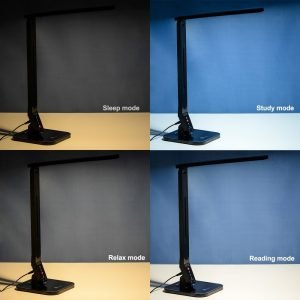
A reasonable arrangement is a cooler, brighter setting for daytime work and a warmer, dimmer setting for the evening. A lamp with an adjustable colour temperature gives you both from one fixture. If you can only choose one, neutral white around 4000K is the most comfortable compromise for both screen work and reading.
Reason five: placement that makes you lean
If the lamp lights the desk but leaves the actual page or keyboard in shadow, the natural response is to move your head closer to the work. Leaning in for two hours loads the neck, reduces blink rate and makes the eyes dry, and dry eyes are the biggest single contributor to the sensation of eye strain.
Check where the light actually lands. Put the lamp on the opposite side from your writing hand, aim the head down and slightly across rather than straight down, and make sure the whole page is covered rather than just the middle of it. For keyboard work, a wider beam placed further back covers the keyboard and the page without a hot spot.
Reason six: the work itself
Fixed focus at a fixed distance is tiring regardless of lighting. The ciliary muscle that changes the shape of the lens holds a constant tension for as long as you look at the same distance, and it does not get a rest while you scroll. This is why the same lamp that felt fine in the morning feels harsh in the afternoon.
The usual guidance is the 20-20-20 habit: every twenty minutes, look at something about twenty feet away for twenty seconds. Blink deliberately while you do it, because screen work reduces blinking by roughly half and the tear film is what keeps the surface of the eye comfortable.
A checklist you can apply tonight
- Turn on the room lighting so the desk pool is not the only bright thing in view.
- Move the lamp to the opposite side from your writing hand, and out of your forward line of sight.
- Tilt the head so the beam lands on the work, not on the screen or on a glossy surface angled at your eyes.
- Test for flicker with a phone camera, at full brightness and lowest dimming.
- Use a warmer, dimmer setting in the evening and a cooler, brighter one by day.
- Check that the whole page or keyboard is lit, not just the centre.
- Blink on purpose, and look away regularly.
When the lamp is not the problem
If strain persists after you have fixed contrast, geometry and flicker, the cause may be uncorrected vision, an outdated prescription, dry eye, or a monitor that is too bright or too close. Those are worth investigating rather than buying a fourth lamp. A lamp is a controllable variable, and it should be the first thing you change, but it is not the only thing in the chain.
For a longer look at what separates a comfortable reading lamp from a decorative one, the notes on the features of the best desk lamps for reading go into beam shape, adjustability and brightness control.
Which lamp type suits which desk job
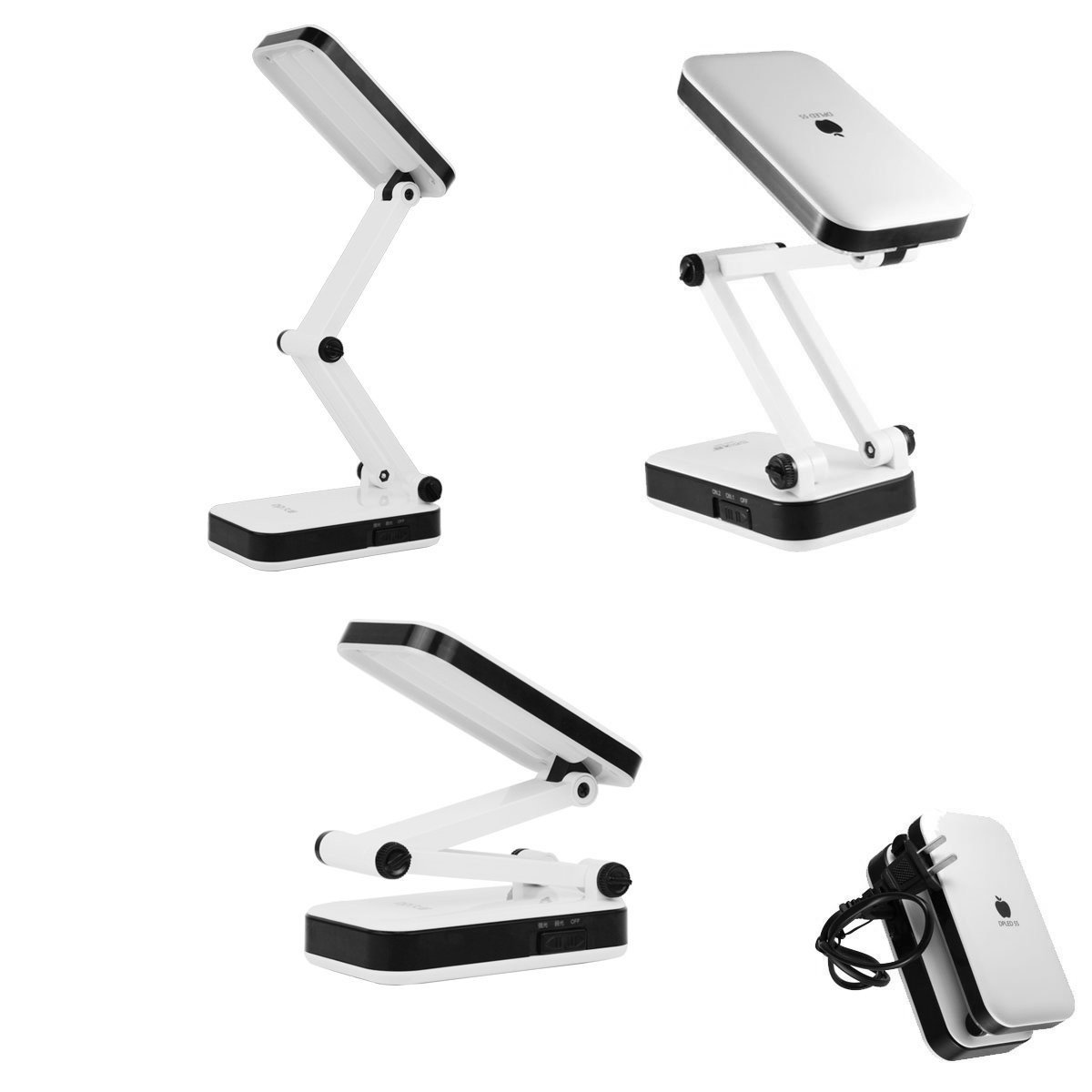
An adjustable arm lamp with a focused head is the right choice for reading a printed page or doing detail work, because it puts light where the task is and keeps the beam out of your eyes. A wider diffused panel or bar lamp is better for keyboard and screen work, because it spreads light across the desk and the wall rather than creating a bright hot spot you keep glancing at. A clamp mounted lamp saves desk space and puts the head higher, which reduces glare on the work. A floor standing lamp used behind the chair is not a task light at all; its job is to lift the background brightness so the task light does not sit against a dark room, which is exactly the contrast problem described above.
If you use a laptop with no external monitor, the screen sits low and the lamp head has to come from behind and above to avoid reflecting on the panel. If you use a monitor at proper height with a separate keyboard, the lamp can sit to the side at desk level without touching the screen. The layout of your desk decides the answer more than the specification of the lamp does.
Frequently asked questions
- Should a desk lamp be above or beside the page? Beside, and slightly behind your shoulder, so the light rakes across the page rather than falling straight down into your eyes.
- Is brighter always better? No. Brightness above the level your eyes have adapted to is the most common cause of discomfort, so match the lamp to the room rather than maximising it.
- Do I need a lamp at all if the room light is good? For screen work, often not. For reading print or detail work, a task light still helps because room lighting is usually too diffuse to give you a comfortable contrast on the page.
- Does colour temperature matter for reading? It does, mostly for comfort. Neutral around 4000K suits both paper and screens, and warmer light is easier late in the evening.
- Are blue light filters necessary? Reducing the cool component in the evening helps sleep, and the practical way to do that is to lower brightness and colour temperature rather than to rely on a filter.